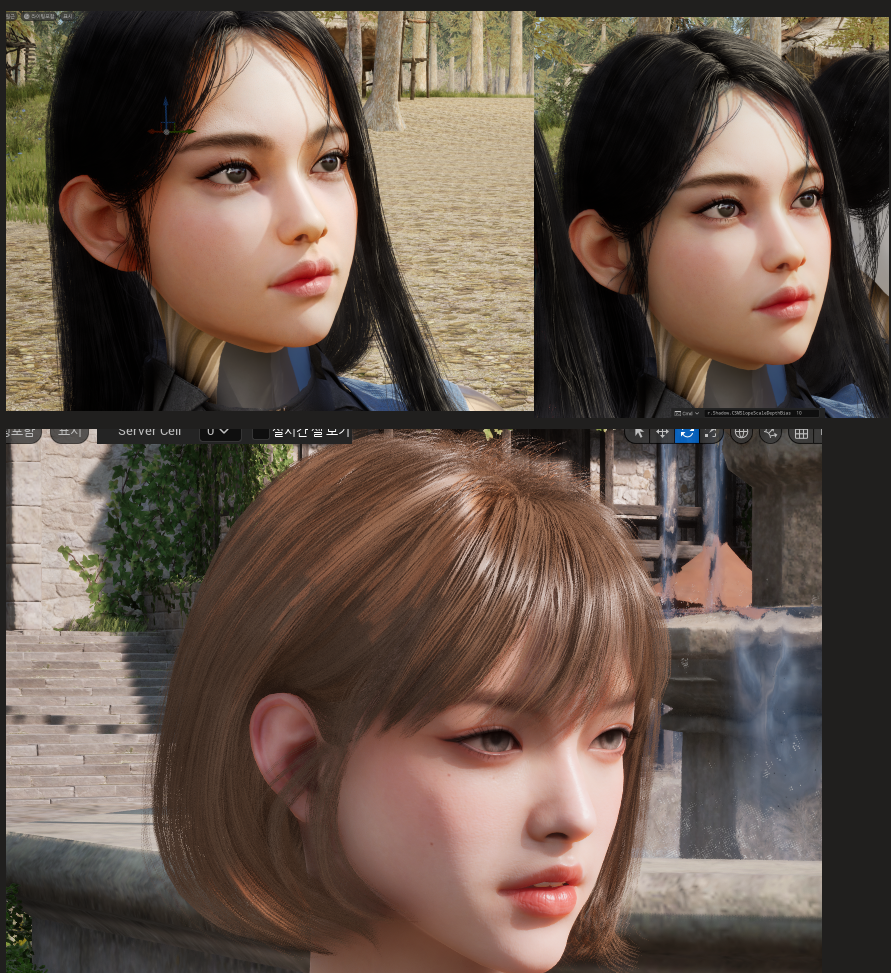
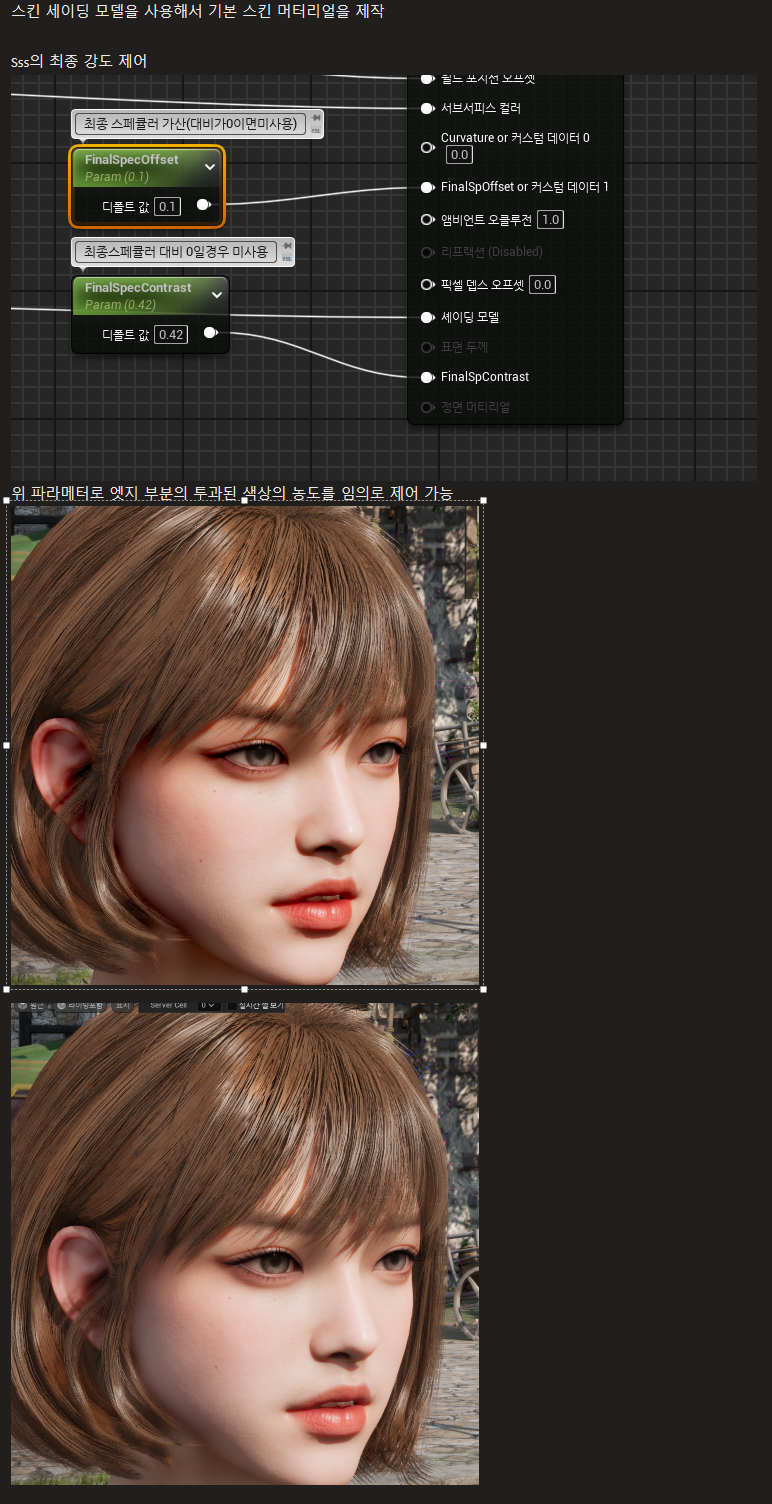
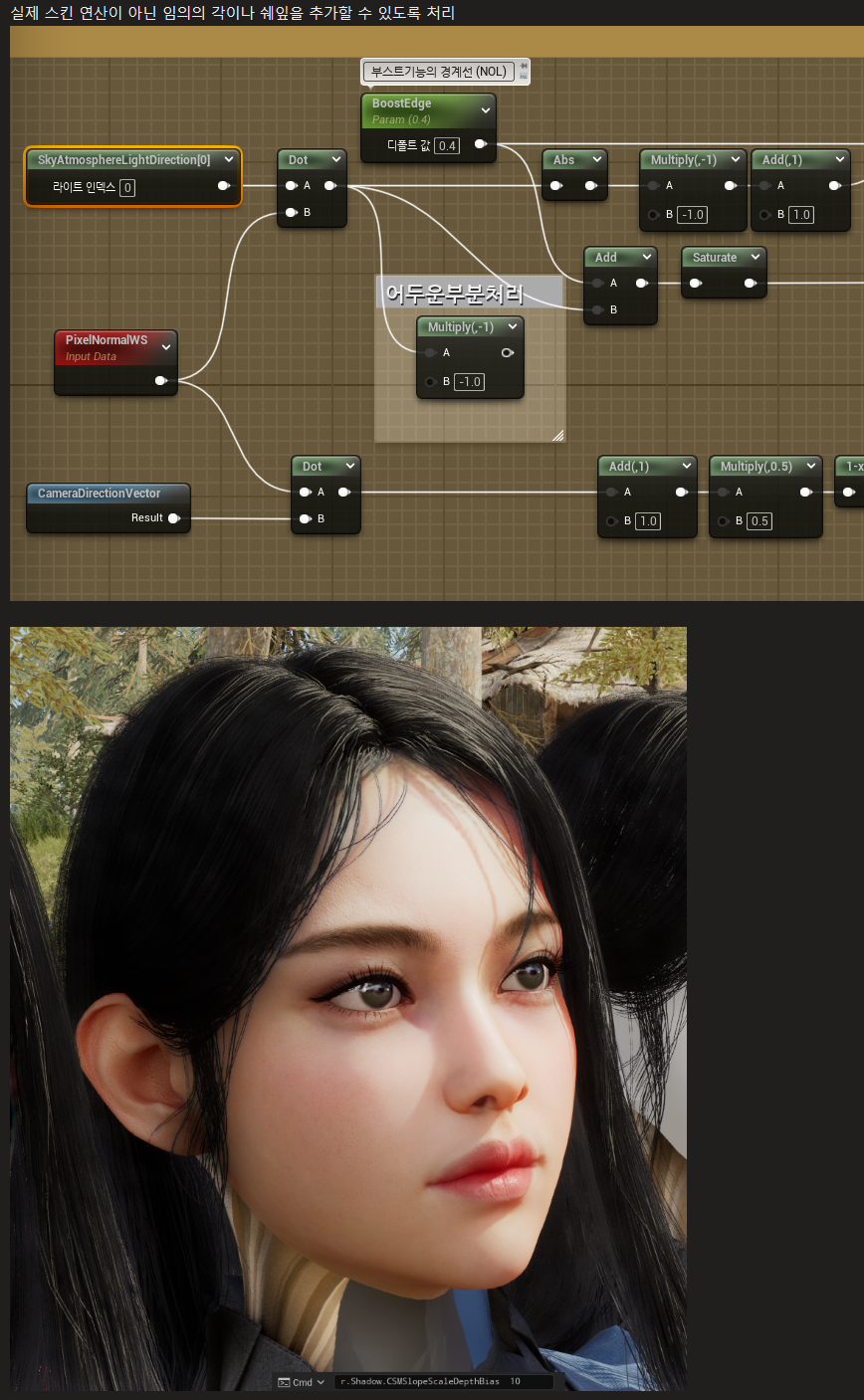
조금더 개성요청을 받은 내용은
그림자의 선명도를 높이고 밝은 부분을 좀더 발광하도록 하고싶은것(화사한 느낌의 피부톤)
투과가 더 많이 되는듯한 느낌을 주도록 변경
일단 밝은 부분은 라이팅부분에서 어느정도 개선이 가능함
FLightAccumulator AccumulateDynamicLighting(
float3 TranslatedWorldPosition, half3 CameraVector, FGBufferData GBuffer, half AmbientOcclusion, uint ShadingModelID,
FDeferredLightData LightData, half4 LightAttenuation, float Dither, uint2 SVPos,
inout float SurfaceShadow)
{
FLightAccumulator LightAccumulator = (FLightAccumulator)0;
half3 V = -CameraVector;
half3 N = GBuffer.WorldNormal;
BRANCH if( GBuffer.ShadingModelID == SHADINGMODELID_CLEAR_COAT && CLEAR_COAT_BOTTOM_NORMAL)
{
함수 내부
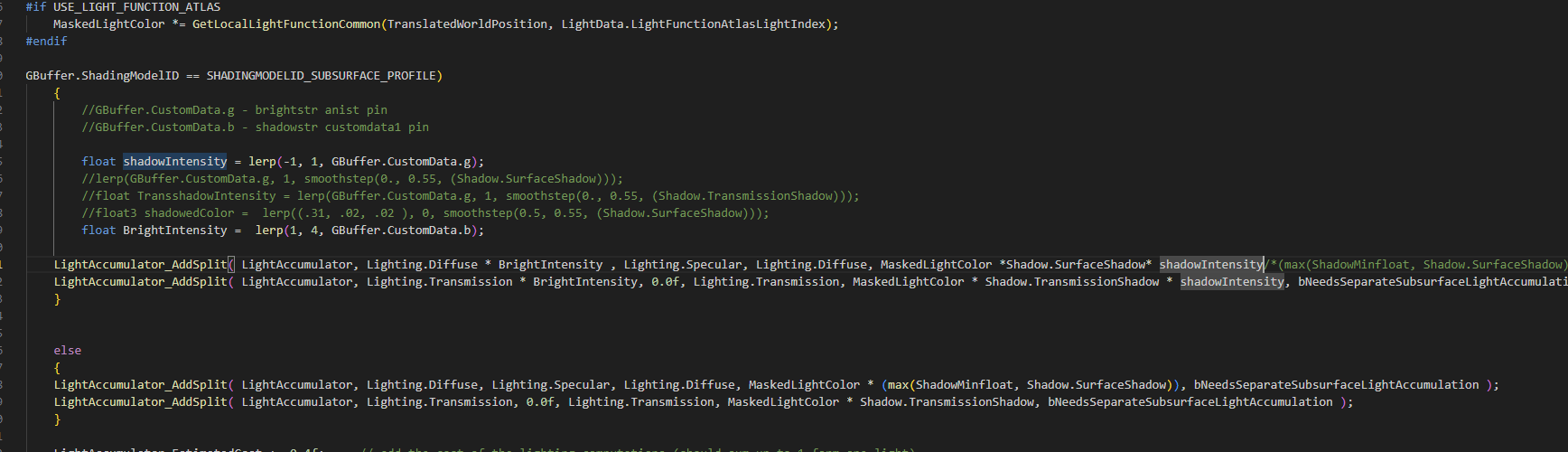
하지만 하단과 같이 정말 라이팅이 강해지는느낌임
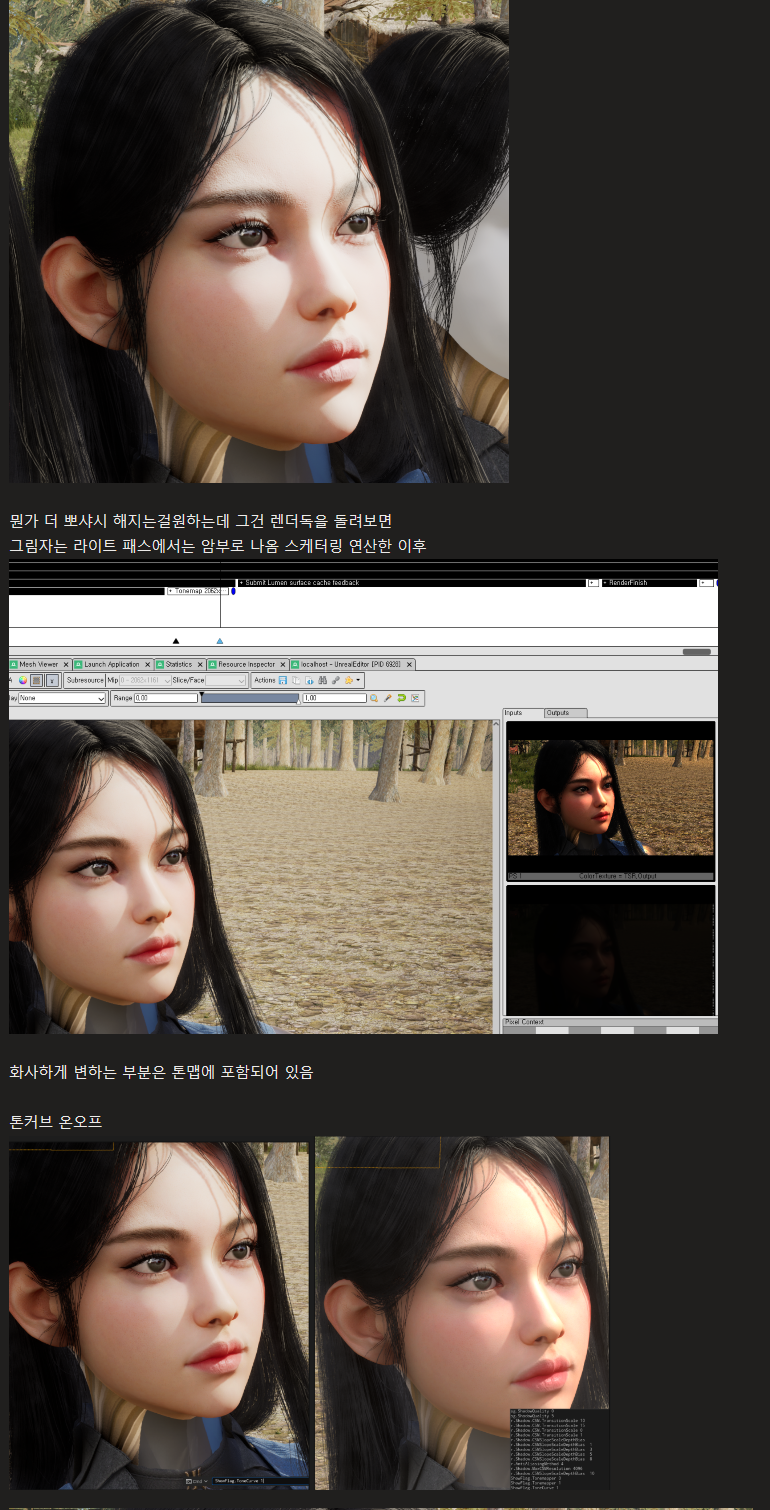
라이팅 부분에서 밝은 부분처리를 좀 개선한뒤
포스트프로세서 서브서페이스 처리에서 변경해보기로함
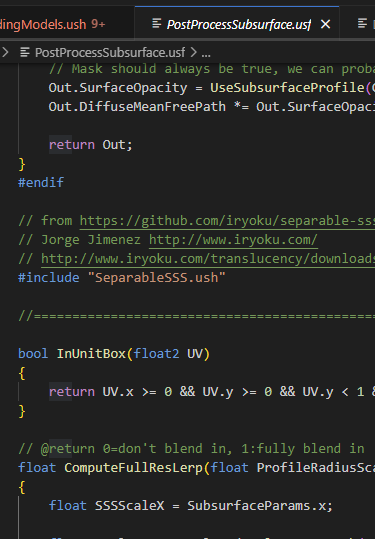
float ComputeFullResLerp(float ProfileRadiusScale, float PixelRadiusScale, float2 UVSceneColor, float2 FullResInputSizeInverse)
{
float SSSScaleX = SubsurfaceParams.x;
float scale = SSSScaleX / CalcSceneDepth(UVSceneColor);
float HorizontalScaler = SUBSURFACE_RADIUS_SCALE;
// Calculate the final step to fetch the surrounding pixels:
float finalStep = scale * HorizontalScaler;
finalStep *= ProfileRadiusScale;
float PixelSizeRadius = finalStep / (FullResInputSizeInverse.x * 0.5f);
// tweaked for skin, a more flat kernel might need a smaller value, around 2 seems reasonable because we do half res
const float PixelSize = 4.0f;
float Ret = saturate(PixelSizeRadius - PixelSize);
// opacity allows to scale the radius - at some point we should fade in the full resolution, we don't have a masking other than that.
Ret *= saturate(PixelRadiusScale * 10);
// todo: Subsurface has some non scatter contribution - all that should come from the Full res
return Ret;
}
일단 서브서피스 러프팩터를 처리하는 부분
void MainIndirectDispatchCS(
uint3 IndirectG_ID : SV_GroupID,
uint GI : SV_GroupIndex
)
{
void SetupIndirectCS(uint3 DT_ID : SV_DispatchThreadID,
uint3 G_ID : SV_GroupID,
uint3 GT_ID : SV_GroupThreadID,
uint GI : SV_GroupIndex)
{
// initalize the group shared variable
if (GI == 0)
{
SubsurfaceTypeFlag = 0;
}
GroupMemoryBarrierWithGroupSync();
역시 이름으론 컴퓨트쉐이더에서 인디렉트 라이트 셋업하는부분
컴퓨트 세이더는 변환하지 않고
최종 합성시 스킨의 sss컬러를 입히는 부분에서 개선 진행
// Recombines the half res Subsurface filtered lighting contribution (upsampled and renormalized with the alpha)
// with the SceneColor.
void SubsurfaceRecombinePS(in FScreenVertexOutput Input, out float4 OutColor : SV_Target0)
{
..
..
..
// [2025/02/04] [gcbox1204] SkinShadow
if(ScreenSpaceData.GBuffer.CustomData.g > .01 && ScreenSpaceData.GBuffer.ShadingModelID == SHADINGMODELID_SUBSURFACE_PROFILE)
{
//ExtractedNonSubsurface = (smoothstep(.21, .23, (ExtractedNonSubsurface))) *ScreenSpaceData.GBuffer.CustomData.b;
float SPLerpValue = lerp(-0.1, 0.1, ScreenSpaceData.GBuffer.CustomData.g);
ExtractedNonSubsurface = (saturate(lerp((0-SPLerpValue), (SPLerpValue + 1), ExtractedNonSubsurface))) - (ScreenSpaceData.GBuffer.CustomData.b*0.1);
}
// [2025/02/04] [gcbox1204] SkinShadow
// combine potentially half res with full res
float3 SubsurfaceLighting = lerp(DiffuseAndSpecular.Diffuse, SSSColor, FadedTint);
OutColor = float4(SubsurfaceLighting* StoredBaseColor + ExtractedNonSubsurface, 0.0f);
}
'unreal > unreal materials' 카테고리의 다른 글
| [Unreal_Editor]5.44 헤어 머터리얼 및 세이더 개선 (0) | 2026.01.15 |
|---|---|
| [Unreal_Materials]파도 (0) | 2022.08.04 |
| [Unreal]언리얼 공격판정 머터리얼 / Attack Preview Decal Material (3) | 2022.02.16 |
| [Unreal]언리얼 커스텀 블러(발자국용) / Simple Blur Material on SnowTrail (0) | 2021.10.08 |
| [Unreal]언리얼 스폰용 머터리얼 제작 / material _ Death & spawn Effect (0) | 2020.11.04 |